

ProCam X ( HD Camera Pro )
- Photography
- v1.13
- 2.76M
- by Imagi Mobile
- Android 5.1 or later
- Aug 26,2026
- Package Name: com.intermedia.hd.camera.pro
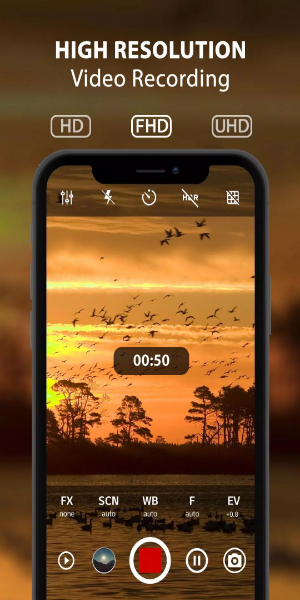
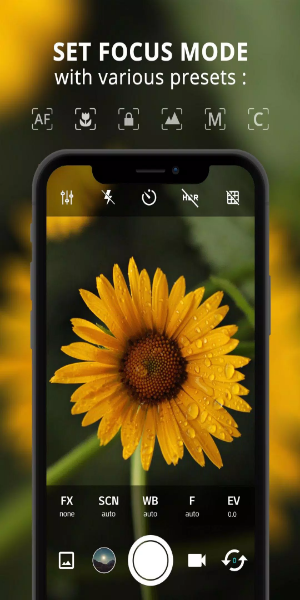
ProCam X Lite: HD Camera Pro is a powerful mobile photography application. It comes with professional-level tools designed to help you take high-definition photos and videos directly from your smartphone. Suitable for both amateurs and professionals, ProCam X Lite delivers easy-to-use controls for exposure, ISO, focus, live filters, and editing—empowering you to capture moments accurately and creatively. Experience studio-quality photography with ProCam X Lite, where innovation meets ease of use.
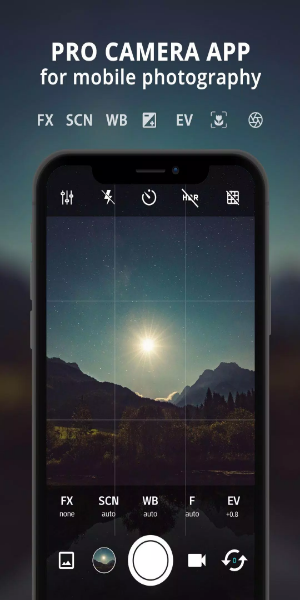
Features
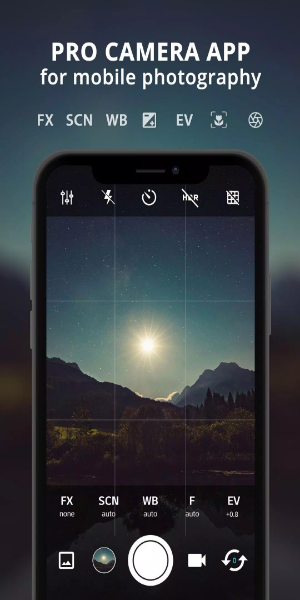
- Exposure Control: Gain full authority over your images by locking or manually fine-tuning exposure. This option ensures ideal light and shadow harmony in any setting.
- White Balance Control: Modify white balance to suit your current lighting, whether indoors with artificial lights or outdoors in daylight, preserving colors that look natural and true.
- Manual ISO: On camera2api-supported devices, manually change ISO to alter sensor sensitivity. Great for reducing noise and grabbing clear, detailed photos even in dim lighting.
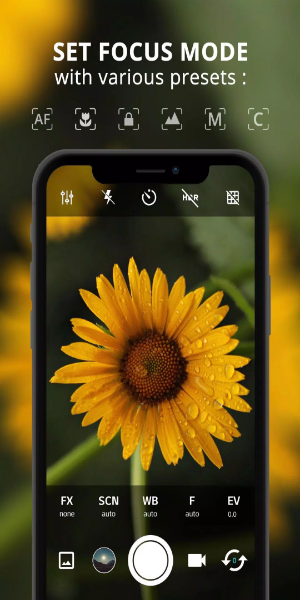
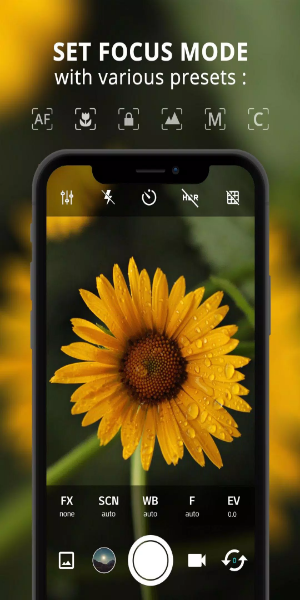
- Manual Focus: When camera2api is available, manually adjust focus for needle-sharp clarity. This control helps you pinpoint the exact area you want in sharp detail.
- Manual Shutter Speed: On compatible hardware, manually tweak shutter speed to set exposure time—ideal for artistic motion blur or freezing action shots.
- Intervalometer: Automatically capture sequence shots at set intervals, perfect for crafting time-lapse or stop-motion videos that show slow changes over time.
- Burst Shooting Mode: Shoot multiple frames rapidly in burst mode so you never miss a fleeting moment. Pick the ideal shot from the series later.
- Custom Video Bit Rate: Fine-tune video bit rate to align quality with your storage and preferences. This leads to crisp videos with fewer compression flaws.
- Real-time Filters/Color Effects: Boost creativity with instant filters and color overlays. Apply different styles and moods to your photos on the fly.
- Geotagging: Automatically attach location data to your images. Easily organize and revisit pictures based on where they were taken.
- Anti Shake: Steady your shots and reduce blurring from camera shake, especially in low light or when zoomed in, so images remain sharp.

How to Use
1. Installation and Setup:
- Install ProCam X Lite from Google Play Store.
- Launch the app and allow permissions for camera and storage access.
2. Navigating the Interface:
- Get comfortable with the clean layout, featuring controls for exposure, ISO, shutter speed, and white balance.
- Look for extra tools like live filters, grid lines, and geotagging toggles.
3. Setting up Manual Controls:
- On camera2api devices, enable manual controls for ISO, focus, and shutter speed.
- Tweak these settings for exact exposure, focus sharpness, and motion effects.
4. Exploring Shooting Modes:
- Try Burst Mode for fast-action sequences.
- Use Intervalometer to shoot time-lapse or stop-motion clips by setting time gaps between shots.
5. Enhancing Creativity with Filters:
- Use live filters and effects to give your photos and videos a fresh look.
- Modify colors and styles to reflect your creative intent.
6. Utilizing Geotagging:
- Turn on geotagging to stamp each photo with its location.
- Sort and search your gallery by place for easier browsing.
7. Optimizing Video Recording:
- Change video resolution and bitrate for the best quality and file size.
- Shoot in HD with optional sound to preserve special moments.
8. Managing Preferences and Settings:
- Personalize the app—mute shutter sounds, assign volume keys for quick capture, and more.
- Explore extra options like anti-shake for steadier shots.
9. Reviewing and Sharing:
- Check your photos and videos in the app before saving or posting.
- Share your work straight from ProCam X Lite to social networks or cloud storage.
10. Continuous Learning and Experimentation:
- Keep up with new app features through updates.
- Try different photography styles and settings to improve your skills and expand creative horizons.
Following these instructions lets you get the most out of ProCam X Lite: HD Camera Pro, enabling professional-level photos and videos from your Android phone and improving your mobile photography journey.
Conclusion:
ProCam X Lite: HD Camera Pro is a flexible, feature-rich option for mobile photographers. It provides a full suite of professional controls—covering exposure, ISO, and focus—plus live filters and geotagging, supporting both beginners and experts in creating beautiful photos and videos effortlessly. Whether you're refining your photographic technique or playing with creative visuals, ProCam X Lite gives you a smooth, user-friendly experience. Step into the world of pro smartphone photography and unlock endless storytelling potential with ProCam X Lite: HD Camera Pro.
-
Wonder Photo Frame

-
Nature Photo Frames Editor

-
Republic Day Photo Frames

-
Timestamp camera - PhotoPlace
-
FaceHub-AI Photo&Face Swap

-
SuperApp

-
ЧекСкан: кэшбэк за покупки

-
Gift Card Balance+

-
Vintage Camera-Retro, Editor

-
WhenToCop? - Sneakers releases

-
Flow Studio

-
PixEz flutter(Pixiv第三方)

-
Img to ASCII

-
Poster Maker Art Flyer Maker

-
 Iron Roads is a board game-style train management sim out now on iOS
Iron Roads has officially launched on iOSReconnect animal communities to each otherPlace tracks efficiently while juggling constraintsTrain management sims aren’t exactly rare, but every now and then, one comes along that feels more like solving a mo
Oct 09,2026 -
 EA Sports FC Mobile brings home the holidays with new Festive Fixtures takeover
EA Sports FC Mobile is preparing a holiday-themed takeoverFestive Fixtures will align with real-life action occurring throughout ChristmasYou can claim exclusive rewards, special offers, and in-game events based on actual fixturesWhile Netflix has se
Oct 07,2026 - ◇ Off-limits action, or a hint to making nine of this puzzle’s answers match their clues Crossword Clue - Try Hard Guides Oct 07,2026
- ◇ Squishmallows Enters Match-Three Gaming Genre Oct 05,2026
- ◇ Bloodlines 2 DLC Cancelled, Adds Content into Base Game After Backlash Oct 05,2026
- ◇ ALLfiring redeem codes and how to use them (May 2026) Oct 04,2026
- ◇ Helldivers 2 Festival of Reckoning Adds Snowball Fights & Stratagems Oct 02,2026
- ◇ New Characters Revealed for Tower of God Spin-off Series Oct 02,2026
- ◇ 2025 Nintendo Switch Buying Guide Released Oct 01,2026
- ◇ Bethesda Introduces Paid NPC Feature in Elder Scrolls VI Sep 29,2026
- ◇ Pokemon Sleep Launches Good Sleep Day Event Sep 26,2026
- ◇ Endless Grades: Pixel Saga sneaks in some new content in latest update Sep 26,2026




- 1 All the Buttons on Fisch Can Be Found Here Dec 24,2024
- 2 Roblox: Eat Pizza to Grow GIGACHAD Codes (January 2025) Feb 25,2025
- 3 Hogwarts Mystery Character Guide - All Romance Options Explained Apr 07,2025
- 4 Three Nights at the Blacksite Pressure Guide [April Fools] May 12,2025
- 5 Roblox Forsaken Characters Tier List 2025 Feb 14,2025
- 6 Top Pirate Crew Formations: Like a Dragon: Hawaii Mar 13,2025
- 7 Marvel Rivals' Controversial Hitbox System Draws Attention Feb 11,2025
- 8 Marvel Contest of Champions Champion Cards Guide Mar 14,2025





-
Mastering the Art of Digital Tools
A total of 10
-
Best News & Magazines Apps for Daily Reading
A total of 10
-
Hidden Gems: Unexpectedly Useful Other Apps
A total of 10











