

Lensa: photo editor & AI art
- Photography
- 5.2.2+823
- 95.12M
- by Prisma Labs
- Android 5.0 or later
- Sep 02,2026
- Package Name: com.lensa.app
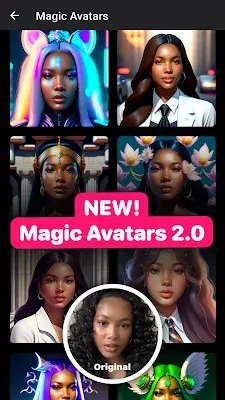
Lensa is a cutting-edge photo editing application designed specifically for enhancing portrait selfies. Featuring an intuitive user interface and a smart Auto-Adjust function, it appeals to photography fans and everyday users alike. The app includes advanced tools such as the Eye Enhancement Editor for detailed eye improvements, the Artistic Photo Editor for quality transformations, and a Background Editor for smooth adjustments. Lensa also offers additional capabilities like color intensity controls and creative options, making it a standout tool for turning ordinary photos into impressive artistic creations. Whether you’re a professional or someone who loves selfies, Lensa combines sophisticated editing with ease of use to help you express your creativity.
Lens Correction
- Optical Enhancement: Lens Correction does more than basic touch-ups by fixing distortions and flaws caused by the camera lens. It resolves problems like barrel distortion, vignetting, and chromatic aberrations.
- Automatic Adjustment: This function intelligently examines the lens used in your photo and automatically makes corrections. Users no longer have to manually detect and correct lens-related distortions, saving time and effort.
- Professional-Quality Output: Lens Correction ensures your image is clear of lens-based distortions, providing a polished and professional look that's visually appealing.
- Compatibility: Whether you’re using a smartphone or a professional DSLR, Lensa’s Lens Correction works with different lenses, accommodating various types of photography equipment.
- Timeless Imagery: With sophisticated lens correction tools, Lensa helps produce crisp and precise photographs that remain visually striking over time.
Transform Your Selfies with Skin Retouching Effects
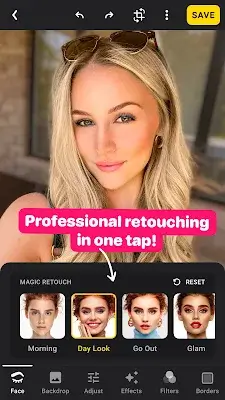
Lensa is more than a basic photo editor—it specializes in retouching portrait selfies. With a variety of filters and enhancement methods, Lensa meets different needs, from boosting clarity to smoothing skin. Whether you're an experienced photographer or a beginner, the Auto-Adjust feature streamlines the process so you can focus on capturing great moments. The simple interface requires no prior skills, while the range of editing and customization tools gives you everything you need for flawless photo edits.
Eye Enhancement Editor
Understanding that eyes are a focal point in portraits, Lensa’s Eye Enhancement Editor helps them look bright and natural. Users can shape eyebrows, reduce dark circles, and eliminate under-eye bags for a genuine look. The Eyebrow Editor offers precise control with an easy-to-use tool. All changes are reversible, so you can experiment and easily go back to the original if needed.
Artistic Photo Editor
Lensa’s dedication to high-quality, timeless, and unique images shows in its Artistic Photo Editor. Lens Correction tweaks effects for the ideal composition, and the Art Photo Contrast Editor adjusts lighting and adds artistic detail. You can also experiment with hair color adjustments and brighten your smile with the teeth whitening tool, giving every photo a personal flair.
Background Editor
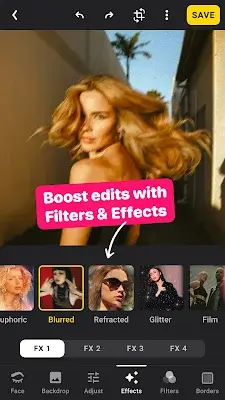
Lensa makes background editing simple—a task that's often tricky. Effortlessly blur photo backgrounds, add motion to selfies, and use portrait mode as a photo enhancer. The tool is straightforward, letting you focus on the moment, while motion effects bring energy to your photos via the background changer.
Beyond Standard Photo Editing
Lensa goes beyond the basics, giving users plenty of creative options. Improve poorly lit photos with the color intensity tool, apply various filters and effects to match different styles, and use the selfie editor to perfect every image before posting. Adjust the mood with the temperature tool, blend out distractions with the fade effect, and boost richness with saturation controls. The sharpness tool fixes blur from camera shake, and assorted tints let you align photos with your personal style.
Conclusion
Lensa stands out as a powerful photo editing app that balances ease of use with professional-grade features. Whether you're just starting or are an experienced photographer, Lensa enhances your photo-taking experience, turning every shot into something special. Download Lensa today and discover what your smartphone camera can really do.
-
Skylight

-
Rasysa Hairstyle Designer

-
Meitu

-
Toonita - Cartoon Photo Editor

-
Portrait Sketch

-
Pic Retouch - Remove Objects

-
Face Me - AI Art Photo Editor

-
StandBy iOS: Always On Display

-
Whatnot: Live Video Shopping

-
Elfster: The Secret Santa App

-
Photo Blur

-
Write Bangla Text On Photo

-
PicsPlay Pro

-
Protake - Mobile Cinema Camera
-
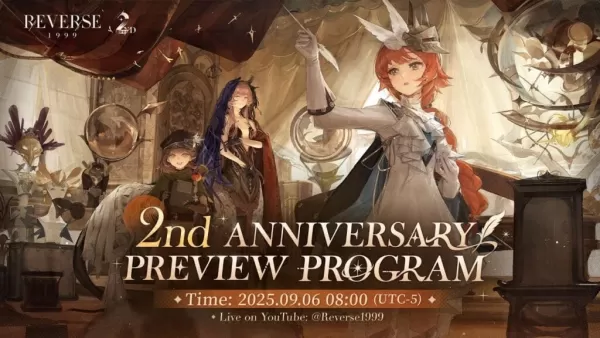 Reverse: 1999 Is Celebrating Its Second Anniversary with Paradise Regained
Bluepoch Games launched a special anniversary stream for Reverse: 1999, unveiling upcoming content in Version 2.8 through charming L2D chibi models of the new units. Titled Paradise Regained, this update celebrates the game’s 2nd anniversary.The eve
Oct 16,2026 -
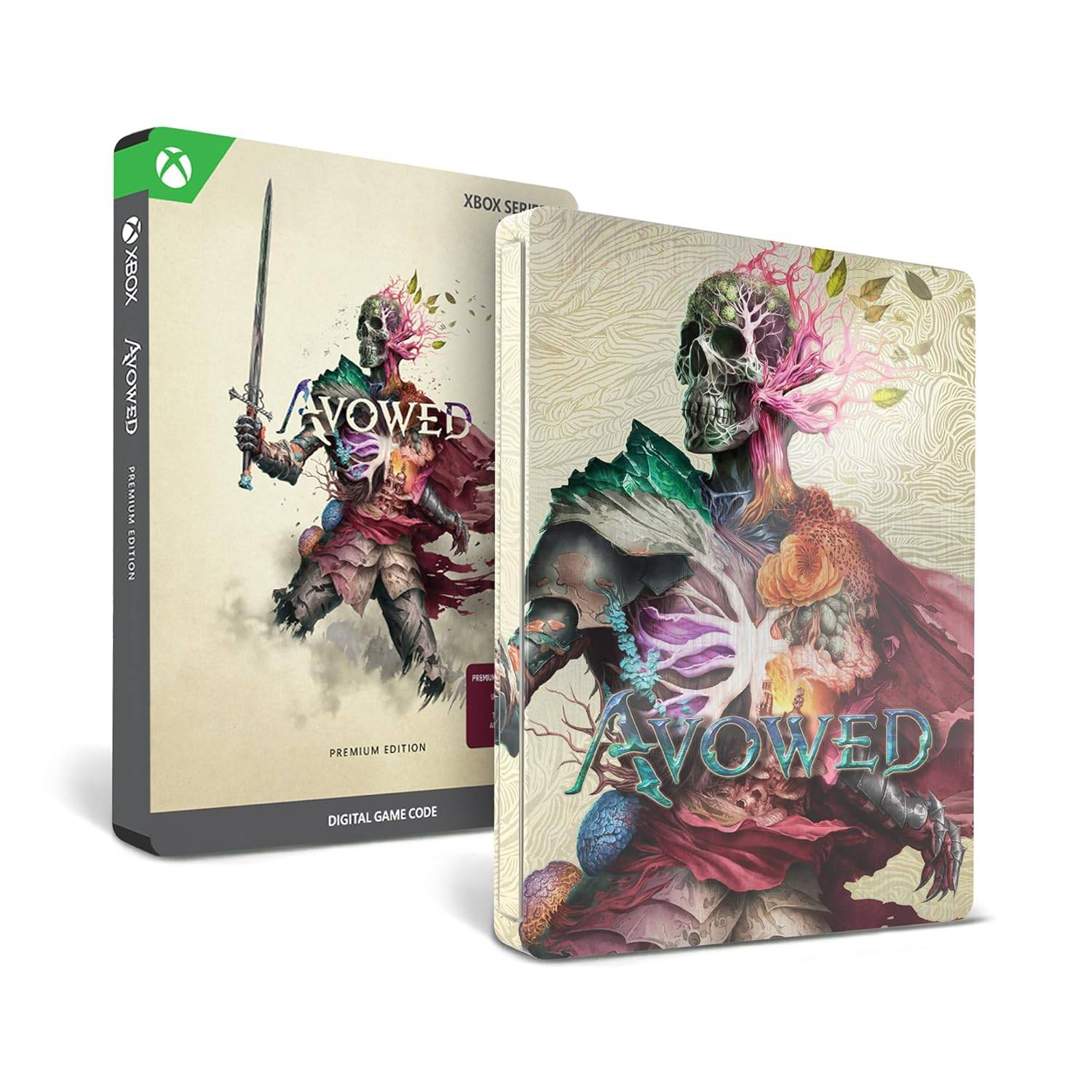 Avowed Editions: Contents Compared
Avowed launches February 13 for Xbox Series X|S and PC players who purchase premium editions, while the standard edition arrives February 18. Obsidian Entertainment's upcoming first-person action-RPG is now available for preorder in multiple editions
Oct 11,2026 - ◇ Machinarium Free on Epic Games Store This Week Oct 11,2026
- ◇ Iron Roads is a board game-style train management sim out now on iOS Oct 09,2026
- ◇ EA Sports FC Mobile brings home the holidays with new Festive Fixtures takeover Oct 07,2026
- ◇ Off-limits action, or a hint to making nine of this puzzle’s answers match their clues Crossword Clue - Try Hard Guides Oct 07,2026
- ◇ Squishmallows Enters Match-Three Gaming Genre Oct 05,2026
- ◇ Bloodlines 2 DLC Cancelled, Adds Content into Base Game After Backlash Oct 05,2026
- ◇ ALLfiring redeem codes and how to use them (May 2026) Oct 04,2026
- ◇ Helldivers 2 Festival of Reckoning Adds Snowball Fights & Stratagems Oct 02,2026
- ◇ New Characters Revealed for Tower of God Spin-off Series Oct 02,2026
- ◇ 2025 Nintendo Switch Buying Guide Released Oct 01,2026




- 1 All the Buttons on Fisch Can Be Found Here Dec 24,2024
- 2 Roblox: Eat Pizza to Grow GIGACHAD Codes (January 2025) Feb 25,2025
- 3 Hogwarts Mystery Character Guide - All Romance Options Explained Apr 07,2025
- 4 Three Nights at the Blacksite Pressure Guide [April Fools] May 12,2025
- 5 Roblox Forsaken Characters Tier List 2025 Feb 14,2025
- 6 Top Pirate Crew Formations: Like a Dragon: Hawaii Mar 13,2025
- 7 Marvel Rivals' Controversial Hitbox System Draws Attention Feb 11,2025
- 8 Marvel Contest of Champions Champion Cards Guide Mar 14,2025





-
Mastering the Art of Digital Tools
A total of 10
-
Best News & Magazines Apps for Daily Reading
A total of 10
-
Hidden Gems: Unexpectedly Useful Other Apps
A total of 10











