
Advanced LT for HYUNDAI
- Auto & Vehicles
- 2.0
- 841.3 KB
- by Dare Apps
- Android 4.1+
- Apr 19,2025
- Package Name: com.ideeo.hyadvancedlite
Enhance Your HYUNDAI Vehicle Monitoring with Advanced LT Plugin for Torque Pro
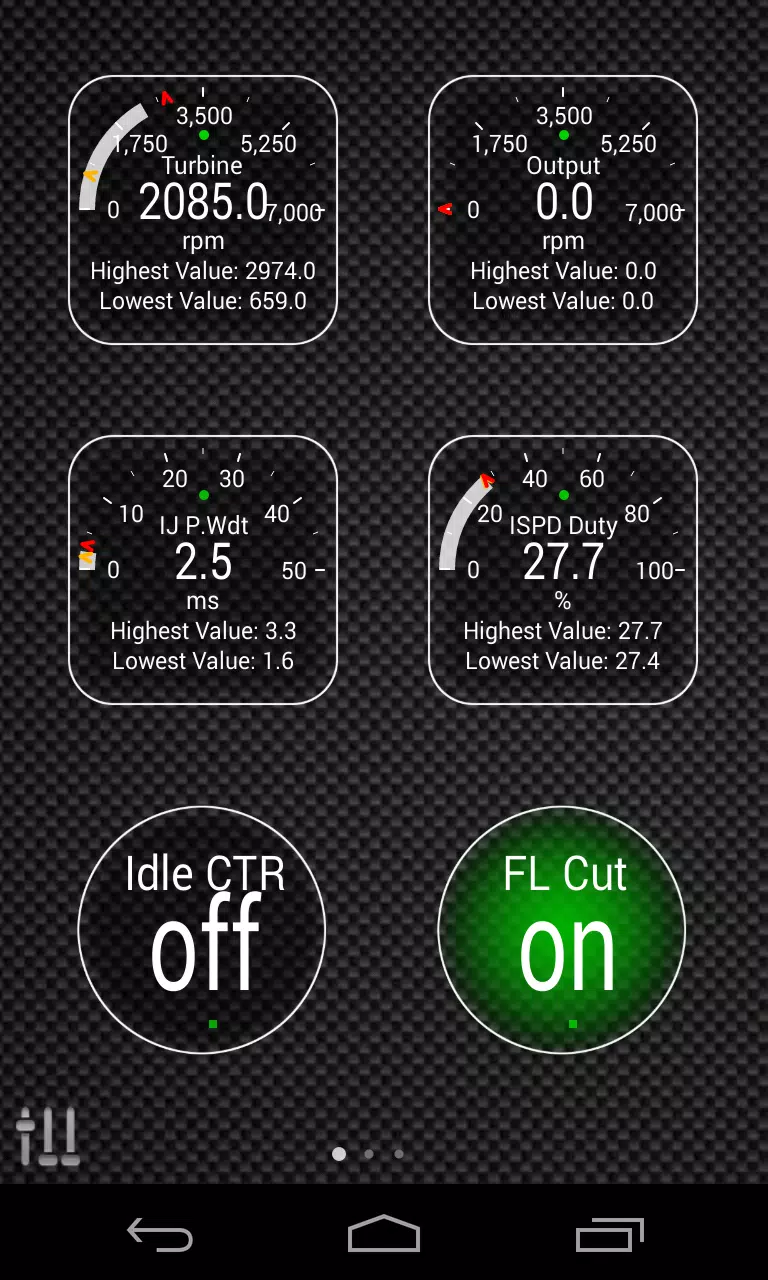
Unlock the full potential of your HYUNDAI vehicle's diagnostics by integrating the Advanced LT plugin into Torque Pro. This powerful tool expands your ability to monitor specific HYUNDAI parameters in real-time, providing detailed insights into both engine and automatic transmission advanced sensor data.
Key Features of Advanced LT:
- Extended PID/Sensor List: Tailored specifically for HYUNDAI vehicles, the plugin enriches your Torque Pro experience by adding specialized parameters not available in the standard version.
- Trial Before Purchase: Experience the functionality with a limited set of sensors before deciding to purchase the full version. Please note that this trial version does not include calculated sensors such as Injector Duty Cycle (%) or HIVEC mode.
- ECU Scanner: Utilize the included ECU Scanner to explore additional sensors on HYUNDAI engines that are not yet supported. Simply record at least 1000 samples and send the logs to the developer for further integration.
Compatibility:
While the plugin is designed to work with a variety of HYUNDAI models and engines, it has been thoroughly tested on the following:
- Accent 1.4/1.6 MPI
- Accent/Solaris 1.4/1.6 GDI
- Accent/Solaris 1.6 CRDI
- Elantra/i30 2.0
- Genesis Coupe 2.0 MPI/GDI
- Genesis Coupe 3.8 V6
- Getz 1.5 CRDI
- Getz 1.6/1.4/1.3 MPI
- i30 1.6 GDI
- i30 1.6 CRDI
- i40 2.0 MPI
- i40 1.6 GDI
- i40 1.7 CRDI
- SantaFe 3.3 V6
- SantaFe 2.0 CRDI
- SantaFe 2.4 MPI/GDI
- SantaFe 2.7 V6
- SantaFe 2.0/2.2 CRDI
- Sonata 2.0/2.4 MPI/GDI
- Sonata/i45 2.0/2.4 MPI/GDI
- Sonata 2.0 T-GDI
- Tiburon 2.0 MPI
- Tiburon 2.7 V6
- Terracan 2.9 CRDI
- Tucson 2.0 CRDI
- Tucson 2.0 MPI
- Tucson 2.7 V6
- Tucson/ix35 2.0/2.4 MPI/GDI
- Tucson/ix35 2.0 CRDI
- Veloster 1.6 MPI/GDI
- Veloster 1.6 T-GDI
- Veracruz/ix55 3.8 V6
- Veracruz/ix55 3.0 CRDI
Important Note: Other HYUNDAI models and engines might be compatible, but the above list represents the tested configurations.
System Requirements:
Advanced LT is not a standalone application and requires the latest version of Torque Pro to function effectively.
Installation Guide:
- Download and Verify: After downloading the plugin from Google Play, confirm its installation by checking your Android device's list of installed applications.
- Launch Torque Pro: Open Torque Pro and tap on the "Advanced LT" icon.
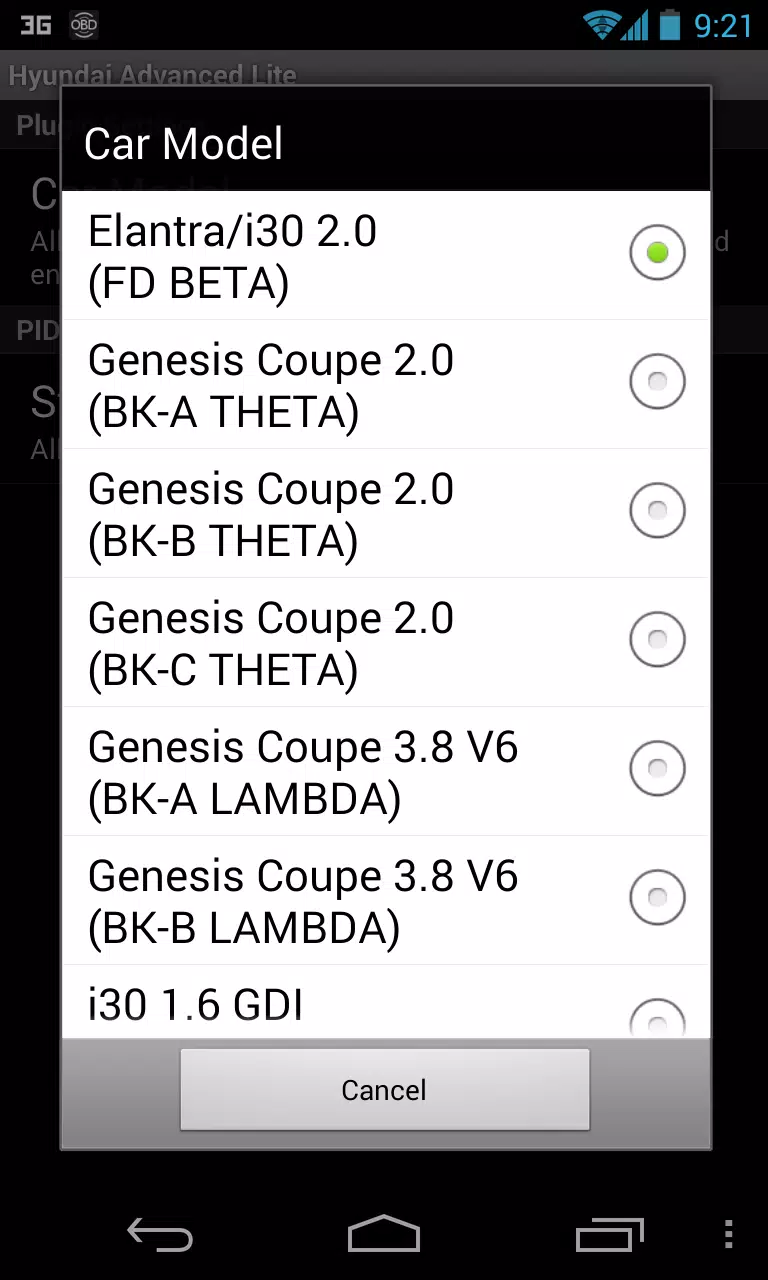
- Select Engine Type: Choose the correct engine type for your HYUNDAI vehicle and return to the main screen of Torque Pro.
- Access Settings: Navigate to Torque Pro's "Settings" menu.
- Confirm Plugin Installation: Ensure the plugin is listed under "Settings" > "Plugins" > "Installed Plugins".
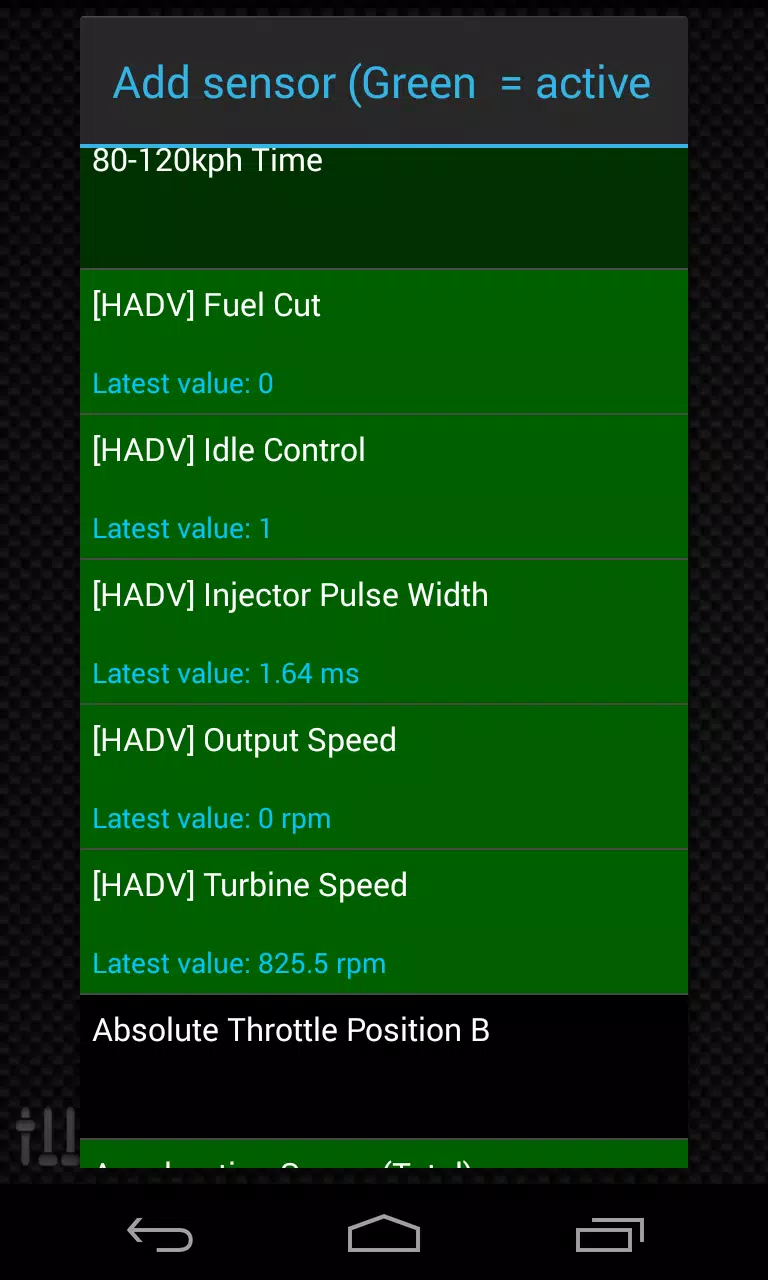
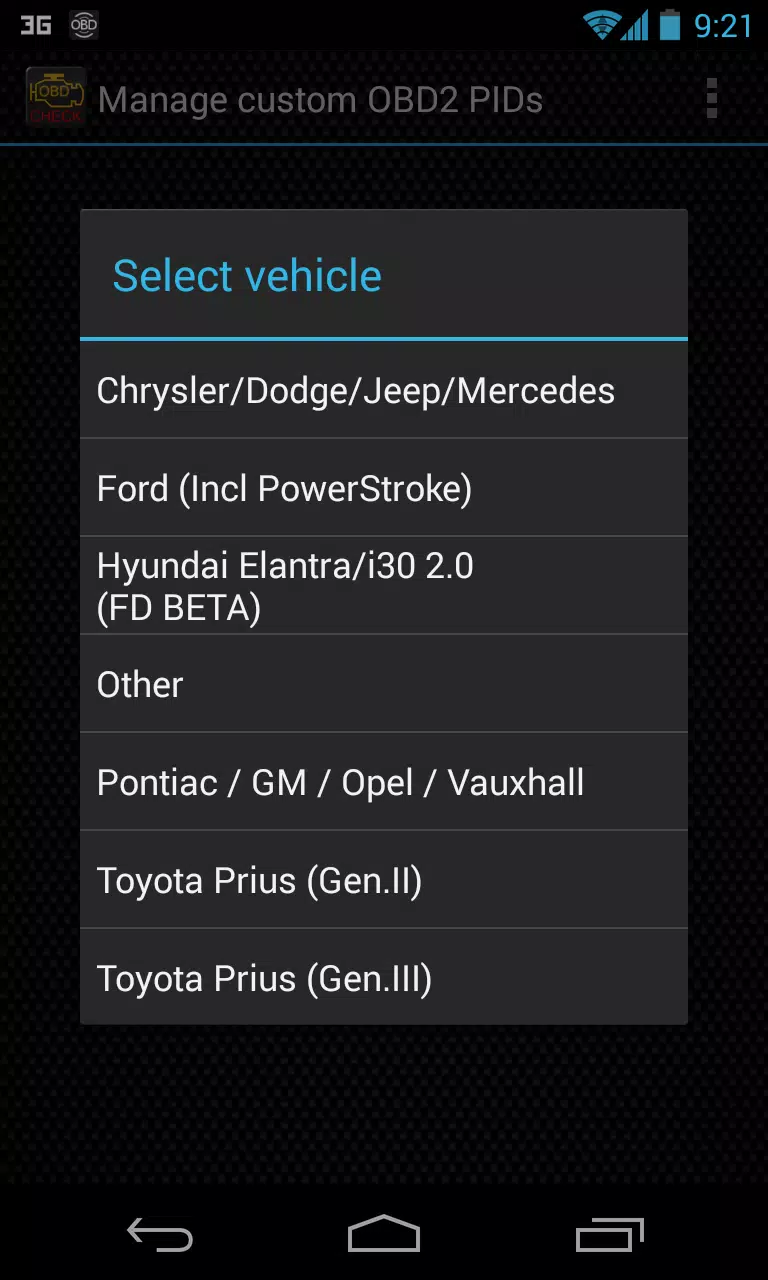
- Manage PIDs/Sensors: Go to "Manage extra PIDs/Sensors", which typically will be empty unless previously customized.
- Add Predefined Set: From the menu, select "Add predefined set".
- Select Correct Engine Type: Ensure you choose the correct HYUNDAI engine type from the list.
- View Added Sensors: After selection, new entries should appear in the Extra PIDs/Sensors list.
Adding Displays:
- Navigate to Dashboard: After adding new sensors, go to the Realtime Information/Dashboard.
- Add Display: Press the menu key and select "Add Display".
- Choose Display Type: Pick from various display types such as Dial, Bar, Graph, or Digital Display.
- Select Sensor: Choose the appropriate sensor prefixed with "[HADV]" from the list, which will be located near the top, just after the time sensors.
Future Enhancements:
Stay tuned for future updates as more features and parameters will be added. Your feedback and suggestions are valuable, so feel free to share your insights with us.
By integrating the Advanced LT plugin into Torque Pro, you'll gain a deeper understanding of your HYUNDAI vehicle's performance and health, ensuring a smoother and more informed driving experience.










-
 Dune: Awakening's Rentable Private Servers Available at Launch — Here's What You Do (And Don't) Get
Private servers are arriving in Dune: Awakening, complete with "concessions" designed to preserve the large-scale multiplayer experience.Developer Funcom announced this feature in an update on the Steam store page, confirming that "rentable private s
Sep 22,2026 -
 Infinity Nikki Version 1.8 Danqing Season Unveils Mythical Art Adventure
Infinity Nikki Version 1.8 introduces the Danqing Season, a captivating blend of folklore, ink artistry, and fantasy. This enchanting chapter launches on July 30 and runs through September 2.Journey t
Sep 22,2026 - ◇ Arc Raiders Dev to End Support of The Finals' PS4 Version to Focus 'Our Support on Current Generation Hardware' Sep 20,2026
- ◇ High on Life 2 Coming to PC, PS5, Xbox & Game Pass Sep 20,2026
- ◇ Xbox Showcase 2025 Reveals 3v3 Fighter Sep 16,2026
- ◇ Disney Solitaire MAC Edition: Essential Guide Sep 15,2026
- ◇ Spirit Empress Debuts in Clash Royale with 4 Events Sep 14,2026
- ◇ Divinity Original Sin 3 Rumors Debunked As Fans Tie TGA Statue to New Logo Sep 13,2026
- ◇ Cute Auto-Chess Game Claws & Chaos Now Available Sep 11,2026
- ◇ Arknights Mizuki & Caerula Another Tides – Mode Overview, Mechanics, and Gameplay Breakdown Sep 10,2026
- ◇ Pokémon Go unveils the Delightful Days season, which will run throughout the summer Sep 09,2026
- ◇ Ex-Subnautica 2 Leads Accuse Krafton of Blocking Release, Sacking to Dodge Bonus Sep 08,2026




- 1 Roblox: Eat Pizza to Grow GIGACHAD Codes (January 2025) Feb 25,2025
- 2 All the Buttons on Fisch Can Be Found Here Dec 24,2024
- 3 Hogwarts Mystery Character Guide - All Romance Options Explained Apr 07,2025
- 4 Three Nights at the Blacksite Pressure Guide [April Fools] May 12,2025
- 5 Roblox Forsaken Characters Tier List 2025 Feb 14,2025
- 6 Top Pirate Crew Formations: Like a Dragon: Hawaii Mar 13,2025
- 7 Marvel Rivals' Controversial Hitbox System Draws Attention Feb 11,2025
- 8 Marvel Contest of Champions Champion Cards Guide Mar 14,2025





-
Mastering the Art of Digital Tools
A total of 10
-
Best News & Magazines Apps for Daily Reading
A total of 10
-
Hidden Gems: Unexpectedly Useful Other Apps
A total of 10











