
Nvidia RTX 5080 Boosts Aging PC with DLSS 4 Multi-Frame Tech
I'm thrilled whenever a new graphics card hits the market, especially with Nvidia's unveiling of the RTX 5080 and its cutting-edge DLSS 4 technology, which leverages AI to enhance visuals and boost frame rates to new heights. But glancing at my aging gaming rig, I paused, unsure if it could keep up.
My trusty RTX 3080 delivered solid 60 fps at 4K on max settings for years, but its performance gradually dipped to 30 fps, forcing me to lower settings. As someone who cherishes the artistry in video games, this was painful. I wanted to experience every detail the artists intended. Could my old PC handle the upgrade?
Surprisingly, the Nvidia GeForce RTX 5080 worked with my dated setup, supported by my 1000-watt PSU that handled the power demands from my RTX 3080.
Still, challenges arose. My system's performance felt underwhelming at times, and I had reservations about DLSS 4. Yet, its multi-frame generation technology was a game-changer, ultimately winning me over.
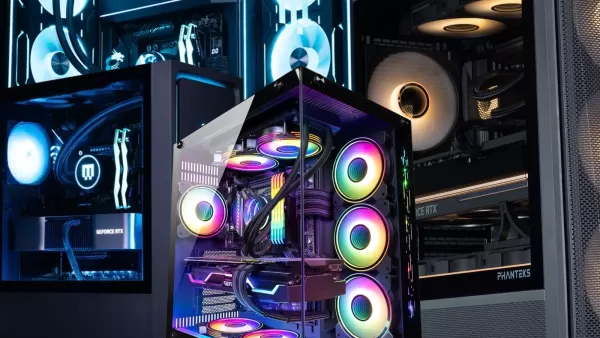
Installing the RTX 5080 – A Four-Hour Ordeal
My PC, while not ancient, sports an AMD Ryzen 7 5800X and 32GB of RAM on a Gigabyte X570 Aorus Master motherboard—a detail that proved critical. Swapping out a graphics card should be straightforward, but my overconfidence was quickly humbled.
I mistakenly thought the RTX 3080’s PCIe 8-pin cables would suffice for the RTX 5080, plugging them into two of its three adapters. Predictably, the card showed no signs of life when I powered on. Frustrating.
With my PC already disassembled, I searched for PCIe 12-pin cables and, to my surprise, found Corsair PCIe Gen 5 Type 4 600-watt cables on DoorDash from a Best Buy in another state for $44. Hunger for power, indeed.
An hour later, the cables arrived. I plugged them in, and the GPU flickered to life—barely. My monitors stayed dark, and a red VGA light glowed on my motherboard. After another hour, I realized the issue: the X570’s chunky chipset fan blocked the RTX 5080 from fully seating in the PCIe x16 slot. No amount of force could fix it. Exasperating.
Defeated, I slotted the Nvidia GeForce RTX 5080, one of Nvidia’s top GPUs, into a PCIe x8 slot. So, with an older CPU and a compromised slot, how did it perform?
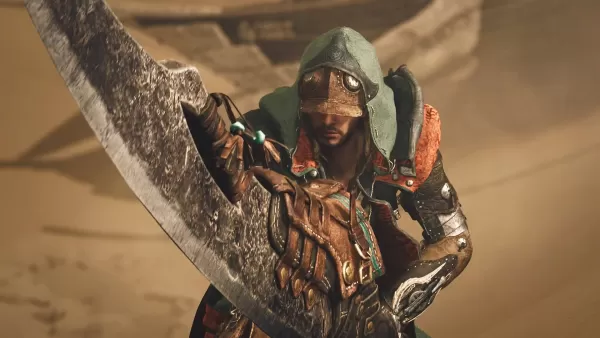
RTX 5080 Performance on an Aging Rig
After 30 benchmarks across five games, the RTX 5080 delivered average raw performance on my setup. But with DLSS 4 enabled, the results were stunning, showcasing Nvidia’s promised potential. As someone who values a game’s artistic vision, DLSS 4’s trade-offs were complex but necessary for my PC.
For the uninitiated, DLSS 4 is an AI-driven super sampling technology that boosts performance and sharpens visuals. Unique to the RTX 50-series, Multi-Frame Generation creates up to three frames per true frame, though it’s limited to supported games. You can tweak settings in the Nvidia app to enable it in some cases.
I tested the RTX 5080 with Monster Hunter Wilds, a game that exposed my RTX 3080’s limits. At 4K Ultra with RT High and DLSS off, I hit just 51 fps. Enabling DLAA (native resolution) and standard frame generation (2x) pushed it to 74 fps—exceeding my 60 fps goal. Switching to Ultra Performance mode yielded 124 fps. (Multi-Frame Generation (4x) isn’t natively supported yet, though a workaround exists.)
In Avowed’s Living Lands, my RTX 3080 struggled, barely reaching 35 fps at Ultra, 4K, with RT on and DLSS off. With DLAA and Multi-Frame Generation, it soared to 113 fps—a 223% jump. Ultra Performance doubled that, leaving me stunned.
Oblivion: Remastered, a nearly 20-year-old game, was surprisingly demanding. At Ultra, 4K, RT Ultra with DLSS off, I averaged 30 fps, dipping to 20 fps. With DLAA and Multi-Frame Generation, it hit 95 fps, and Ultra Performance reached 172 fps. Those Daedra didn’t stand a chance.
Marvel Rivals, a competitive title, ran smoothly. As a Magik main, precision is key. At Ultra, 4K with DLSS off, I got 65 fps and 45ms latency. With DLAA and Multi-Frame Generation, it jumped to 182 fps but hit 50ms latency—my worst result. Performance mode with standard frame generation (2x) delivered 189 fps and 28ms latency, matching non-frame generation performance.
Finally, Black Myth Wukong’s benchmark at Cinematic, 4K, DLSS 40% with RT Very High yielded 42 fps. Standard frame generation boosted it to 69 fps. Multi-Frame Generation could theoretically push it to 123 fps, making it playable despite my setup’s limitations.
Raw GPU performance disappointed me, reflecting my aging components and the RTX 50-series’ modest raw power gains. Still, DLSS 4 transformed my gaming experience.
No Need for a Full PC Upgrade with the RTX 5080
Relying on DLSS 4 and Multi-Frame Generation has caveats. The AI-generated frames introduce slight fuzziness in textures and occasional artifacts in menus, as it sacrifices raw fidelity for smoother performance. It’s a workaround for poorly optimized ports, but I hope developers don’t lean too heavily on it.
My experience shows that a new GPU can work wonders, even in a suboptimal setup. I considered removing my motherboard’s fan to fit the RTX 5080 in the PCIe x16 slot, but DLSS 4’s performance made it unnecessary.
You don’t need to overhaul your entire PC for a new GPU. The RTX 5080 demands an 850W power supply and new cables, but that’s manageable. GPUs are pricey and scarce, so don’t rush to upgrade everything.
My setup’s longevity is uncertain, but DLSS 4 and Multi-Frame Generation have extended its life, giving me just enough time to dive back into my favorite games.













- 1 All the Buttons on Fisch Can Be Found Here Dec 24,2024
- 2 Roblox: Eat Pizza to Grow GIGACHAD Codes (January 2025) Feb 25,2025
- 3 Hogwarts Mystery Character Guide - All Romance Options Explained Apr 07,2025
- 4 Three Nights at the Blacksite Pressure Guide [April Fools] May 12,2025
- 5 Roblox Forsaken Characters Tier List 2025 Feb 14,2025
- 6 Top Pirate Crew Formations: Like a Dragon: Hawaii Mar 13,2025
- 7 Marvel Rivals' Controversial Hitbox System Draws Attention Feb 11,2025
- 8 Marvel Contest of Champions Champion Cards Guide Mar 14,2025

![LeMOMnade: Family Squeeze! – Version 1.1.1 [mtrellex]](https://img.3xbz.com/uploads/38/1719569762667e8d62c486e.jpg)



-
Mastering the Art of Digital Tools
A total of 10
-
Best News & Magazines Apps for Daily Reading
A total of 10
-
Hidden Gems: Unexpectedly Useful Other Apps
A total of 10











