

Essential Web Developer ToolsAdvantages for Site AdministratorsRemote Website MonitoringServer Problem-SolvingWebsite Performance AnalysisCode Modification and TroubleshootingBoosted EfficiencyQuick Problem ResolutionProtected CommunicationsAPI ConnectivityEvolution of Web ManagementVersatility and PracticalityFinal ThoughtsA standout feature of the Web Tools application is its mobile website management capability. Previously, website administrators depended on desktop computers running specialized file management programs. Now, this app enables completion of most online projects directly from Android phones. This creates a convenient web management workflow that saves time and increases adaptability.
Essential Web Developer Tools
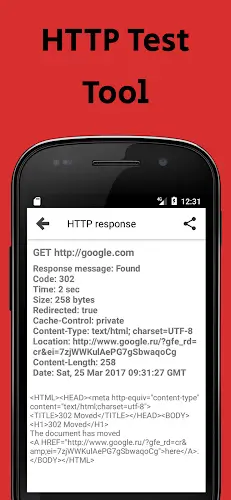
The Web Tools application delivers a complete package for website administration, featuring FTP, SFTP, SSH, Telnet clients, HTTP verification, speed tests, code editing, and API debugging. Administrators gain a comprehensive toolkit for connecting and managing websites through multiple protocols. This functionality proves essential for accessing and modifying remote server files or evaluating website and application performance.
Advantages for Site Administrators
Web Tools serves as more than a simple connectivity solution—it acts as a powerful companion for system administrators and web developers. Here's a technical examination of its advantages:
Remote Website Monitoring
Technical Details: The application employs website monitoring protocols (such as HTTP requests) to track website operations and performance from remote locations.
Advantage: Administrators obtain real-time status updates, confirming website availability and responsiveness while enabling early problem detection.
Server Problem-Solving
Technical Details: The app contains diagnostic utilities that connect to servers via SSH, FTP, or Telnet protocols, analyzing server logs and configuration settings.
Advantage: Administrators can identify and resolve server errors directly within the application, accessing server logs, adjusting configurations, and restarting services as needed.
Website Performance Analysis
Technical Details: The application implements performance evaluation techniques, including request transmission and response time measurement.
Advantage: Users can evaluate website efficiency, pinpoint performance constraints, and implement optimizations by measuring page loading speed, latency, and resource consumption.
Code Modification and Troubleshooting
Technical Details: The application incorporates code editors and debugging tools compatible with multiple programming languages.
Advantage: Administrators can directly examine website code for troubleshooting and optimization, implementing immediate code adjustments to resolve issues or improve functionality.
Boosted Efficiency
Technical Details: The application's intuitive interface, accessibility features, and instant data access contribute to greater productivity.
Advantage: Website administrators can efficiently oversee websites and rapidly address technical problems, minimizing downtime and enhancing user satisfaction.
Quick Problem Resolution
Technical Details: The app's live monitoring and remote management functions support swift problem identification and intervention.
Advantage: Users can rapidly address emerging issues, shortening resolution time and limiting service interruptions.
Protected Communications
Technical Details: Secure communication protocols like SSH for server access safeguard data transmission integrity.
Advantage: Administrators can safely interact with servers and implement code modifications without compromising application security.
API Connectivity
Technical Details: The application provides APIs for interconnection with external systems and platforms, including content delivery networks and database servers.
Advantage: This integration potential enables task automation and data retrieval from additional services, further optimizing web management processes.
Evolution of Web Management
This analysis reveals a major transition from historical website management confined to desktop computers. The Web Tools application marks substantial progress, broadening website management possibilities and enabling administrators to work from any location at any time.
Versatility and Practicality
The Web Tools application ultimately stands out for its usefulness and adaptability. Users can execute numerous remote operations using only an Android smartphone, including internet speed tests, website file transfers, code debugging, and numerous other practical functions. This establishes the application as an essential resource for website administrators and developers.
Final Thoughts
Web Tools has transformed website management by addressing the requirements of system administrators and web developers. Through remote management capabilities, work flexibility, and diverse tool sets, this application has become an indispensable partner for web management professionals. This article presents the MOD APK file with unlocked Premium features at no cost. Explore it with us today!

















-
《The Finals》PS4版支援終止,開發團隊將資源集中於次世代硬體
Embark Studios——爆款遊戲《Arc Raiders》背後的創作團隊——宣佈,將於明年停止對 《The Finals》 的上一代主機支援。儘管《The Finals》定於 2026 年 3 月 18 日在所有其他平臺上按計劃推出第 10 賽季,但該遊戲將從 PS4——最後一代主機——上退役。此舉旨在讓開發團隊“將支援重點放在當前世代硬體上”。因此,PS4 玩家將失去對這款免費射擊遊戲的訪問許可權,距離其 12 月上線僅一年多,比 PC 和當前世代主機的上線時間晚了一年。雖然部分遊
Sep 20,2026 -
《High on Life 2》即將登陸PC、PS5、Xbox及Game Pass
Squanch Games 在 Xbox Games Showcase 2025 上揭曉了《High on Life 2》,確認遊戲將於今冬登陸 PC、PlayStation 5 以及 Xbox Series X/S 平臺,並支援 Xbox Game Pass。重返荒誕第一人稱射擊宇宙這部續作延續了開發團隊標誌性的卡通視覺風格與不羈的第一人稱射擊玩法。在 2022 年初代作品的基礎上,本作承諾帶來更加誇張的武器喜劇元素。從爭議首發到備受喜愛的系列初代《High on Life》在聯合創始人賈斯汀
Sep 20,2026 - ◇ Xbox Showcase 2025 公佈 3v3 格鬥新作 Sep 16,2026
- ◇ 迪士尼紙牌遊戲MAC版:必備指南 Sep 15,2026
- ◇ 《皇室戰爭》迎來新角色“靈皇后”,同步上線四大活動 Sep 14,2026
- ◇ 《神界:原罪3》謠言被證偽,粉絲將TGA獎盃與新版Logo聯絡 Sep 13,2026
- ◇ 可愛自動棋戰遊戲《爪牙與混亂》今日正式上架 Sep 11,2026
- ◇ 明日方舟水月與賽魯拉新潮汐模式詳解:機制與玩法全分析 Sep 10,2026
- ◇ 《Pokémon Go》推出“歡樂時光”季節活動,貫穿整個夏季 Sep 09,2026
- ◇ 《Subnautica 2》前主創指控Krafton為規避獎金而拖延發布、強行解僱 Sep 08,2026
- ◇ Best Buy 擁有我見過的最低 QD-OLED 遊戲顯示器價格 Sep 08,2026
- ◇ 史蒂夫的熔岩雞:最短歌曲打入英國排行榜 Sep 07,2026




- 1 Roblox:吃披薩來生長吉格查德代碼(2025年1月) Feb 25,2025
- 2 Fisch 上的所有按鈕都可以在這裏找到 Dec 24,2024
- 3 霍格沃茨神秘角色指南 - 所有浪漫選項都解釋了 Apr 07,2025
- 4 在黑石壓力指南的三晚[四月傻瓜] May 12,2025
- 5 Roblox被遺忘的字符層列表2025 Feb 14,2025
- 6 頂級海盜船員編隊:像龍:夏威夷 Mar 13,2025
- 7 Marvel Rivals 有爭議的 Hitbox 係統引起關注 Feb 11,2025
- 8 Marvel冠軍冠軍卡指南 Mar 14,2025





-
掌握數字工具的藝術
總共 10
-
最佳新聞與雜誌應用程式每日閱讀
總共 10
-
隱藏的寶石:意外有用的其他應用程序
總共 10










